
Skip to content
MenuSmart
MenuSmart

Cafés · Restaurants · Tea rooms · Fast food

Your menu comes alive.

Guests scan the QR code on their table and order in their language; the kitchen gets everything live. You take payment, with no paper and no mistakes.

  • 1 month free trial, no credit card
  • Nothing for guests to install
  • Menu in French, Arabic and English

The whole service

From the menu to the bill, one tool.

The floor, the kitchen and the counter see the same order, at the same moment.

Your venue’s QR code menu

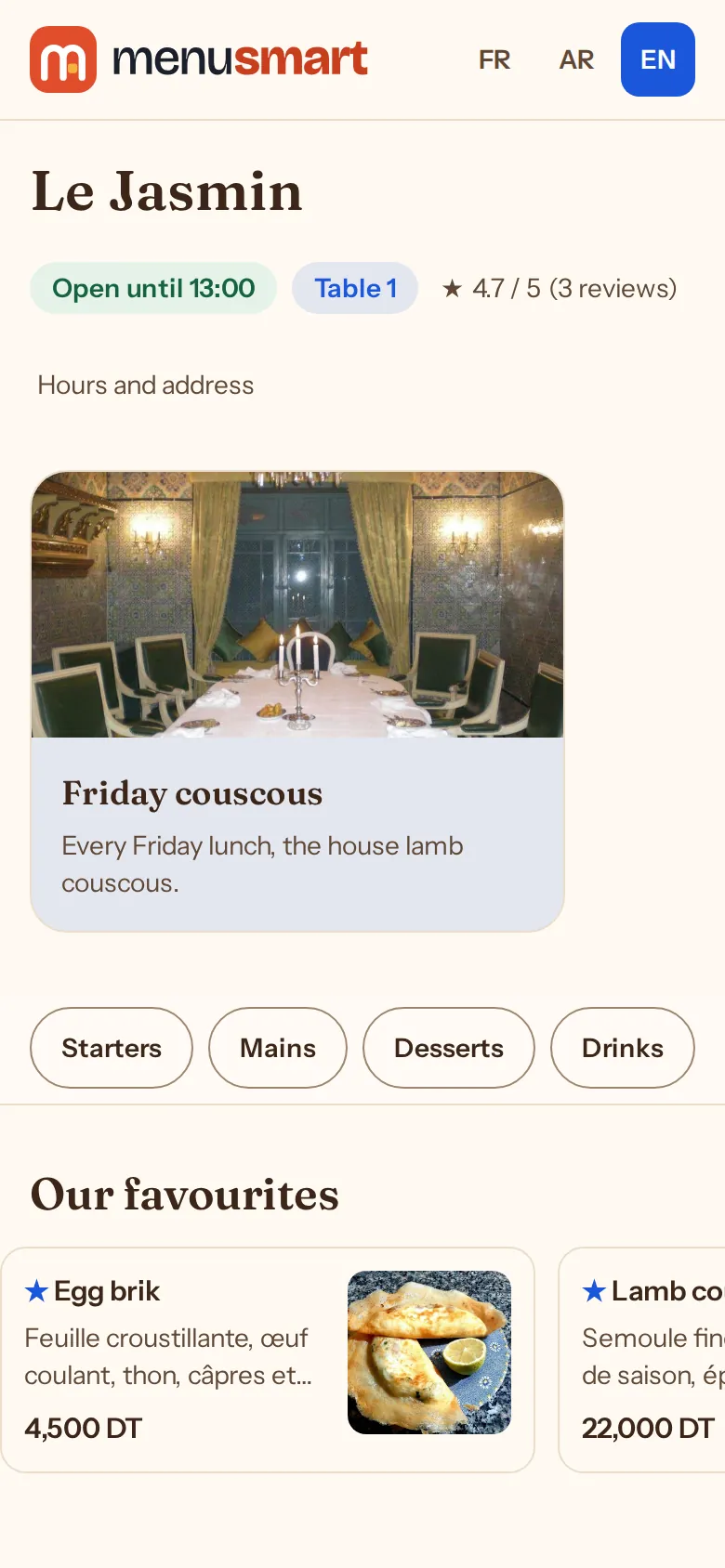
Guests scan their table’s poster and the menu opens in their phone’s browser: photos, prices, allergens, in their language. Nothing to install, nothing to reprint when a price changes.

  • Sold out mid-service. A missing dish becomes “Sold out” and can no longer be ordered; it comes back with one click.
  • A menu for each time of day. Lunch, dinner, breakfast: each menu is served in its time slot and on its days.
  • Banners and favourites. Today’s special or an event at the top of the menu, between two dates; a struck-through price for a promotion.
Learn more : QR code menu
A demo restaurant's menu on a phone, opened from table 1's QR code

Table ordering by QR code

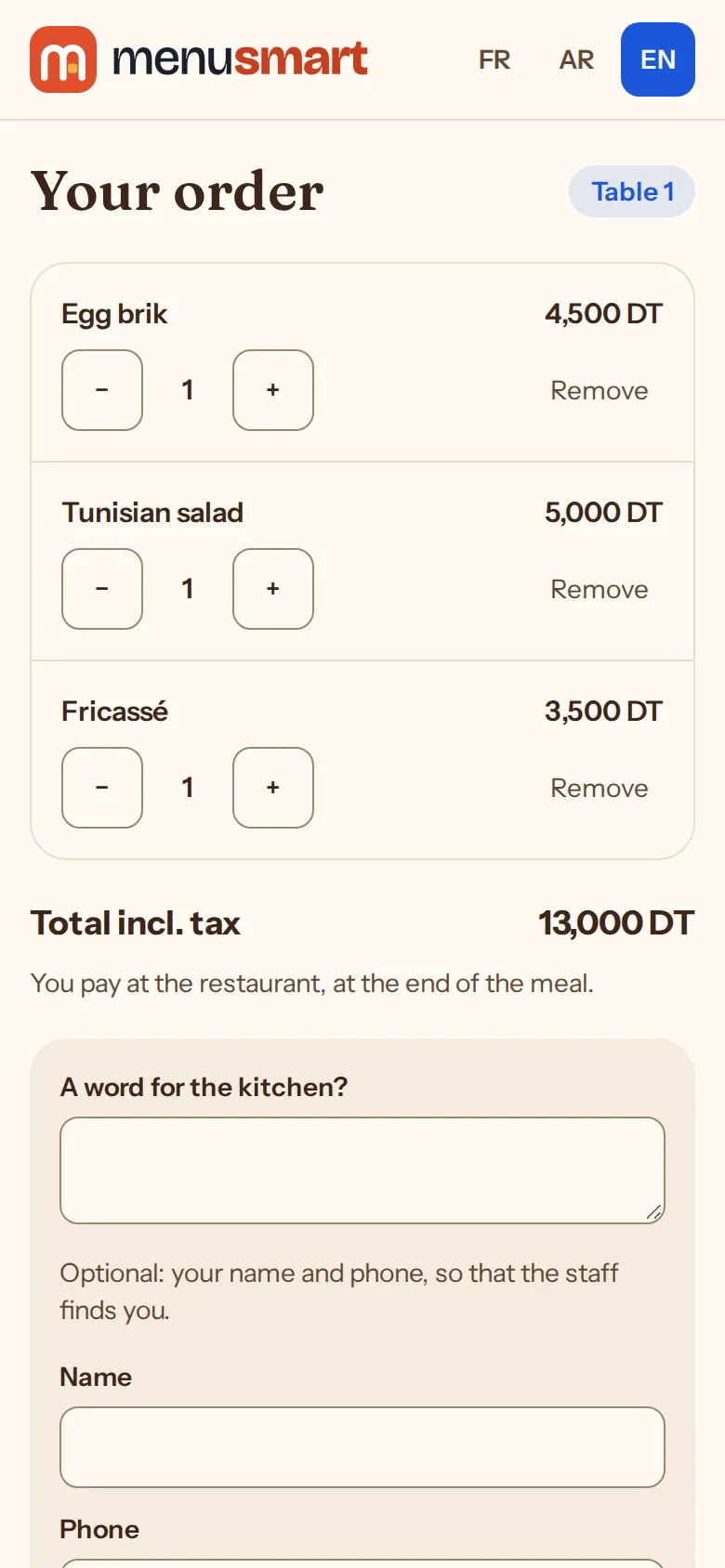
Guests build their basket on their phone and order. They see when their order will be ready, and the party pays a single bill at the end of the meal.

  • Call the waiter. From the menu: service, the bill or cleaning; the call rings on the floor until someone sees it.
  • One bill per table. All the party’s orders gather on one bill, paid at the till at the end.
  • A number of the day. Each order has its number (1, 2, 3…) per venue and per business day, even after midnight.
Learn more : Table ordering
A guest's order on their phone at table 1: three dishes and the total, before it goes to the kitchen

Kitchen screens, station by station

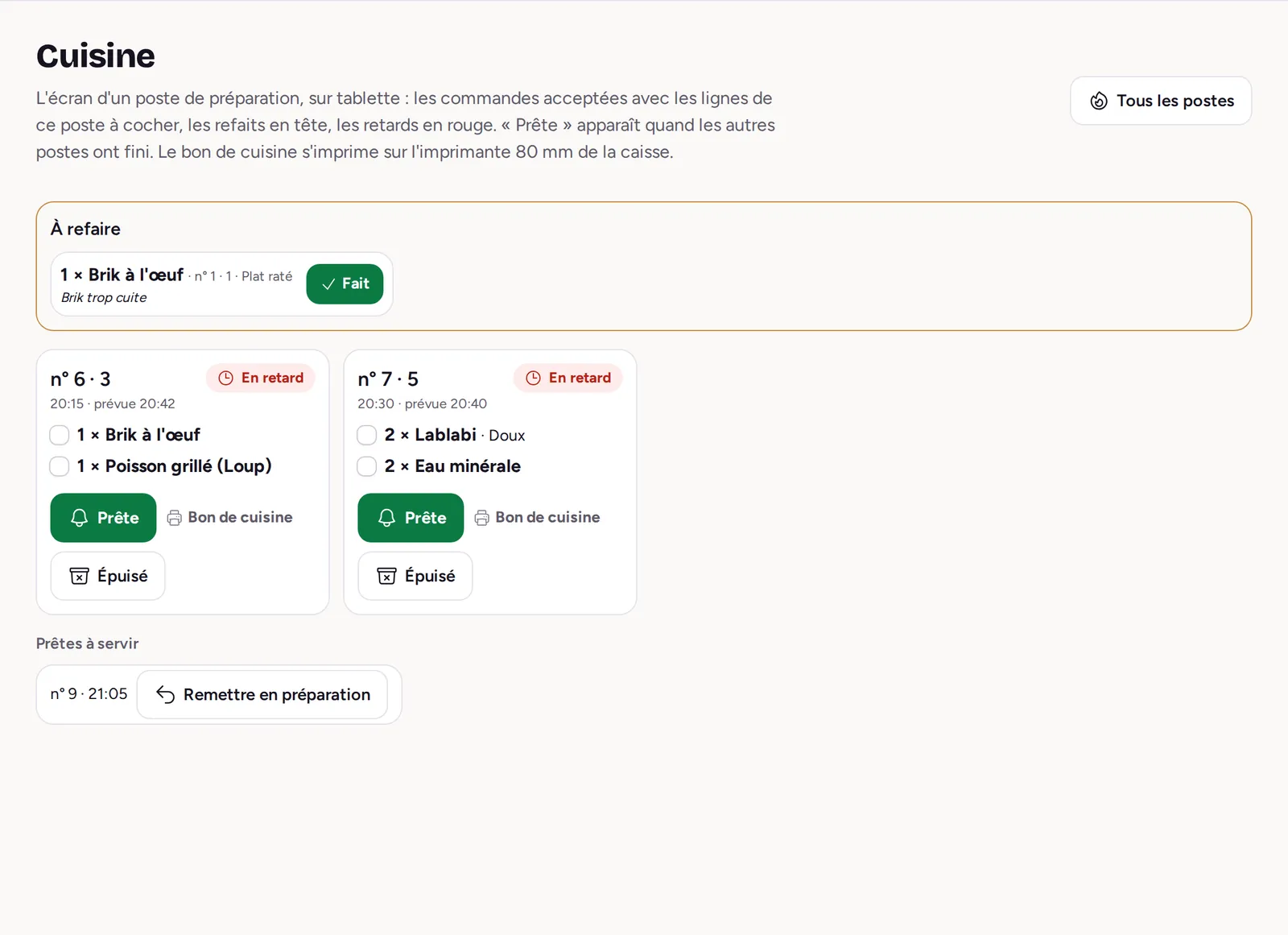
Each station (kitchen, grill, bar, oven) sees on its tablet the lines that concern it and ticks them off as it goes. The floor knows when it is ready.

  • “Live”. New, in the kitchen, ready to serve: every order in three columns, urgent ones first.
  • Each cook at their station. A cook assigned to stations sees and hears only their orders.
  • Remakes. A botched or returned dish is remade with its reason; it counts as a loss, not a sale.
Learn more : Kitchen screens
The kitchen screen: orders to prepare, a dish to remake on top, late ones in red

The touch-screen till for restaurants and cafés

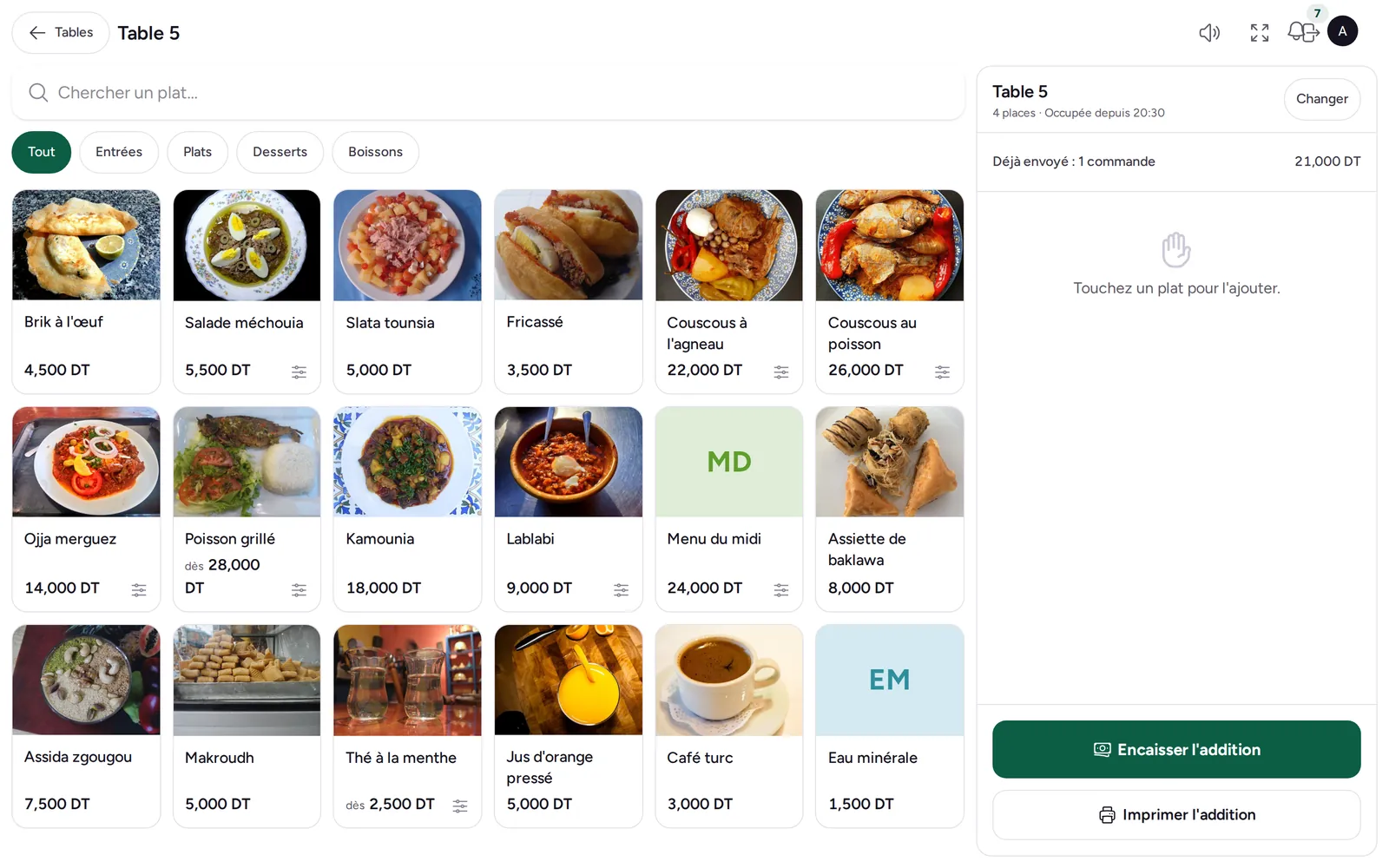
One screen to take the order, send it to the kitchen and take payment. On a tablet, a computer or a phone, with no proprietary hardware.

  • Every payment method. Cash with the change to give, card, cheque or customer account, and several methods on one receipt.
  • Split the bill. In equal shares: each pays their share, the receipt stays a single one.
  • Quick counter sale. “Exact” or a round note: the sale is paid, the receipt printed, the change shown, in one tap.
Learn more : Touch-screen till
The till on a tablet: the menu's dishes as photos, table 5's bill beside them

Stock that follows your sales, dish by dish

A dish’s recipe says what one portion uses. With every bill paid, its ingredients leave the venue’s stock, with no extra entry.

  • Set menus and options included. A set menu takes out the chosen dishes’ recipes; an option linked to an item takes one per portion.
  • Bottles and cans. A dish tracked in stock itself leaves at the sale, with no recipe.
  • Low stock. The list of items to reorder, below their threshold.
Learn more : Stock and recipes
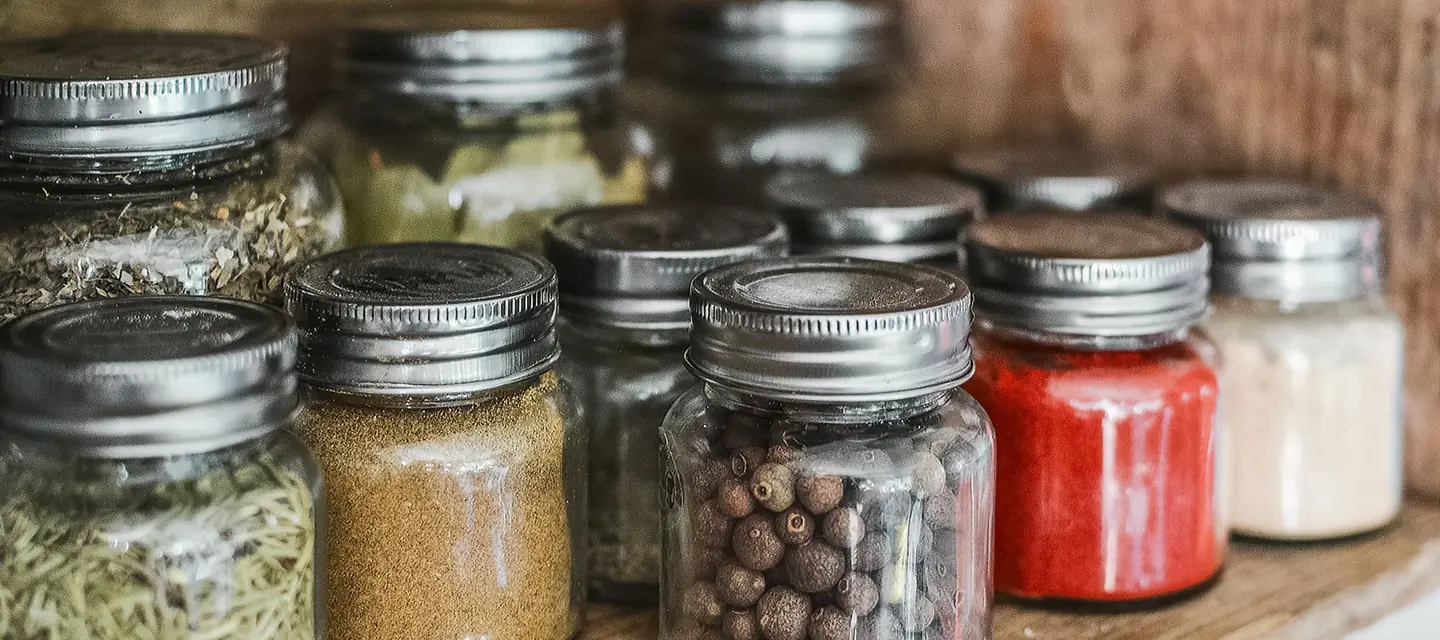
Jars of spices and dry goods on a kitchen shelf

Up and running in an afternoon

  1. Request your workspace

    An address of your own: your-name.factun.tn. We open it and write to you.

  2. Enter the menu and the tables

    Sections, dishes, options and photos; print the QR posters for the tables.

  3. Take the orders

    Guests order, the kitchen prepares, the till takes payment.

Made for your venue.

The type of venue sets up the till for you. The same price for everyone.

Pricing

One price. Everything included.

The same yearly subscription for a café, a pizzeria or a restaurant. After the trial, your data is kept.

1 month free

MenuSmart

TND 440 excl. VAT / year

  • QR code menu
  • Ordering at the table
  • Kitchen screens
  • Floor and plan
  • Touch till
  • Take away
  • Reviews and dashboard
  • Recipes and stock
Request my workspace

No commitment, no credit card required.

Frequently asked questions

Write to us

Do my guests have to install an app?

No. The QR code opens the menu in the phone's browser, with nothing to install and no account.

Can I keep the traditional service?

Yes. The waiter can enter the order at the till, and table ordering can be paused at any time.

Is the menu translated?

Yes: the menu reads in French, Arabic and English, and “Translate the menu” gathers everything left to translate on a single screen.

What happens after the trial?

You choose to go on with a yearly subscription; your data is kept.

Your next service, paperless.

Try MenuSmart for 1 month, free.