

The touch-screen till for restaurants and cafés
One screen to take the order, send it to the kitchen and take payment. On a tablet, a computer or a phone, with no proprietary hardware.
How it works
-
1
Pick the table
The room’s tables as large tiles, free or taken; the first tile, “Takeaway”, is for the counter.
-
2
Tap the dishes
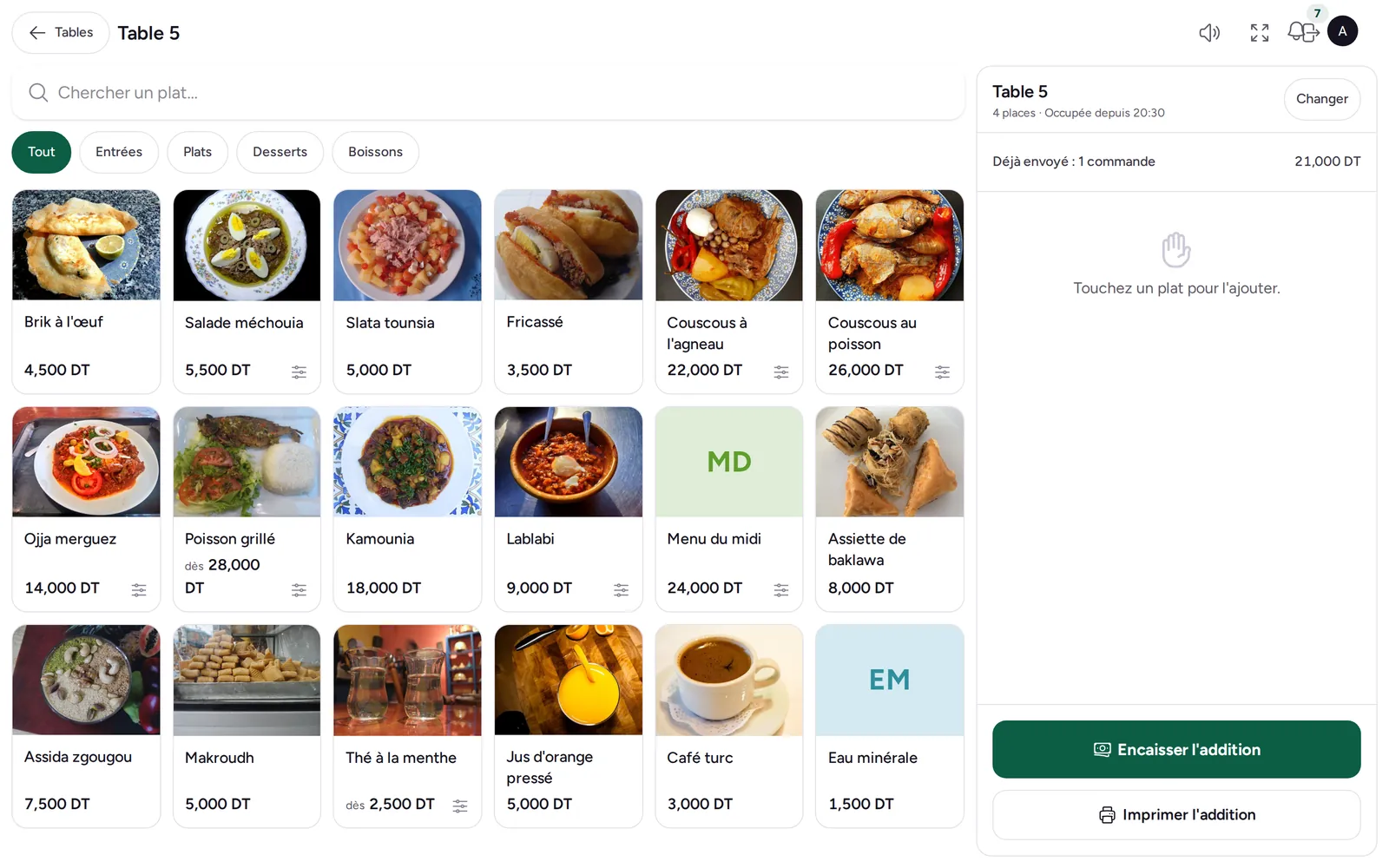
On their photos, filtered by section; options and set menus open as large buttons.
-
3
Send and take payment
“Send to kitchen”, then “Take payment”: one receipt for the whole party.
All of checkout, no detours
-
Every payment method
Cash with the change to give, card, cheque or customer account, and several methods on one receipt.
-
Split the bill
In equal shares: each pays their share, the receipt stays a single one.
-
Quick counter sale
“Exact” or a round note: the sale is paid, the receipt printed, the change shown, in one tap.
-
Ticket, bill and receipt
Kitchen ticket per station when sent, bill printed before payment, receipt on an 80 mm printer.
Frequently asked questions
Can the waiter give a discount?
Yes, as a percentage with a reason printed on the receipt, up to the till’s limit; beyond it, the floor manager does.
Can a paid receipt be changed?
No: it is corrected by a credit note at the till (return). That keeps your books right.
What about closing the day?
Each receipt goes into the open till session and its closing report (Z).