




Table ordering by QR code
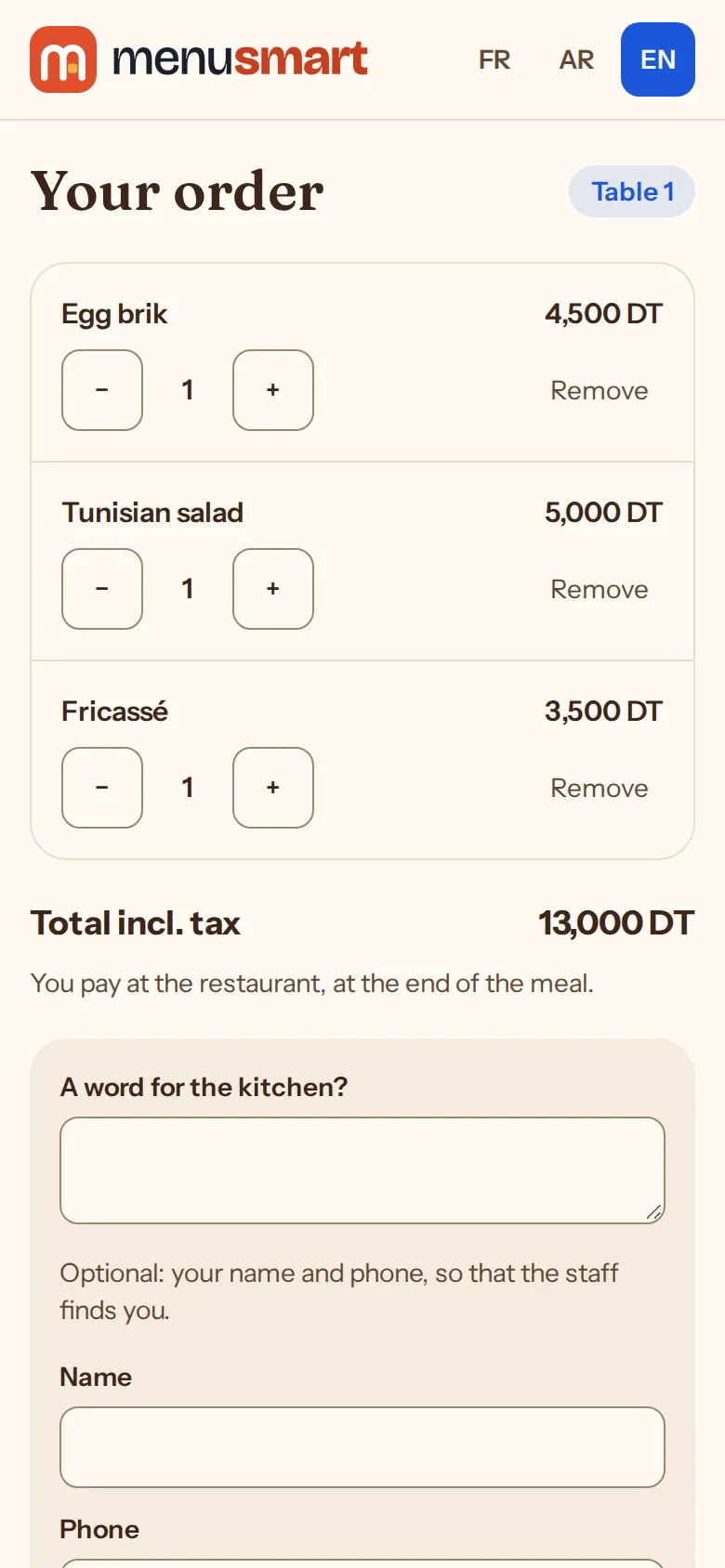
Guests build their basket on their phone and order. They see when their order will be ready, and the party pays a single bill at the end of the meal.
How it works
-
1
Guests build their basket
They choose each dish’s version and options, add a note (“no onions”) and see their total.
-
2
You accept
The order reaches “Live” with a sound alert; accepting it, you announce the preparation time.
-
3
They follow their order
Their tracking page shows progress and the announced time; they can cancel until you accept.
Fewer trips, no lost orders
-
Call the waiter
From the menu: service, the bill or cleaning; the call rings on the floor until someone sees it.
-
One bill per table
All the party’s orders gather on one bill, paid at the till at the end.
-
A number of the day
Each order has its number (1, 2, 3…) per venue and per business day, even after midnight.
-
A pause when the kitchen is swamped
Pause orders for 10 minutes to an hour, with a reason the menu shows.
Frequently asked questions
Do guests have to give their name?
No, at the table it is optional. They can leave their name and phone if they wish.
Can I turn table ordering off?
Yes, at any time in the settings: the menu stays readable and the waiter takes orders at the till.
Can a guest order when you are closed?
No. Venue closed, orders paused or table out of service: the menu says so and takes no order.