

Your venue’s QR code menu
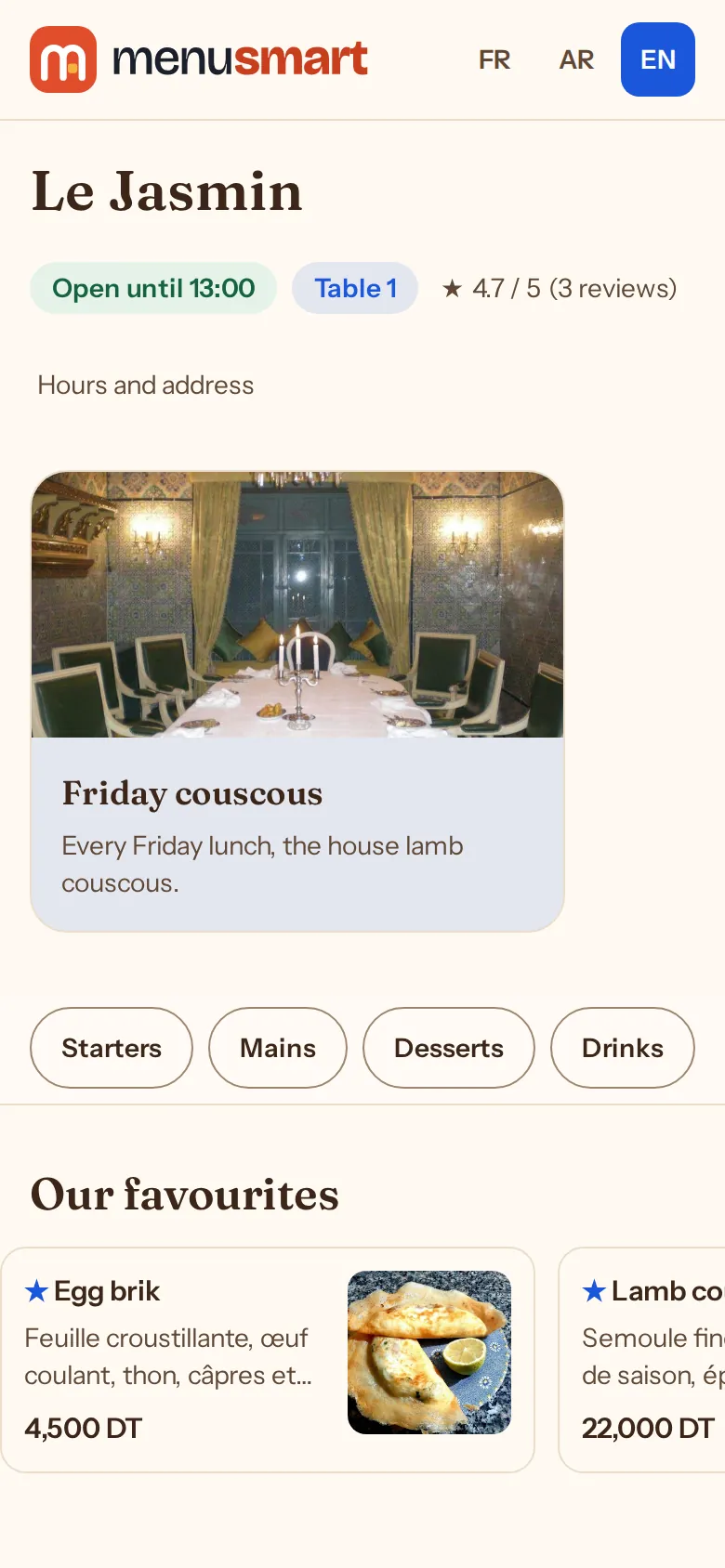
Guests scan their table’s poster and the menu opens in their phone’s browser: photos, prices, allergens, in their language. Nothing to install, nothing to reprint when a price changes.
How it works
-
1
Enter your menu
Menus, sections and dishes at their price including tax, with their photo, options and allergens.
-
2
Print the posters
One A4 poster per table, or a whole room’s at once; their text is written in the menu’s languages.
-
3
Guests scan
The menu opens naming their table, with your opening hours, closures and contact details.
A menu that is always up to date
-
Sold out mid-service
A missing dish becomes “Sold out” and can no longer be ordered; it comes back with one click.
-
A menu for each time of day
Lunch, dinner, breakfast: each menu is served in its time slot and on its days.
-
Banners and favourites
Today’s special or an event at the top of the menu, between two dates; a struck-through price for a promotion.
-
A link per dish
Each dish has its direct link to share, and a menu poster leads to the same menu from your window.
Frequently asked questions
What if a poster is stolen or damaged?
“New QR code” replaces the table’s code: the old poster stops working, print the new one.
Does the menu show allergens?
Yes: the 14 allergens of the European regulation are provided, tick them on each dish.
Can I choose the menu’s colours?
Yes. The theme, colour, your social pages and legal notices are set in the restaurant settings.